
Cloudflare.Within reach.
Check traffic, DNS, and Workers on your iPhone. When a change is needed, see the exact request before you confirm.
In development for iPhone and iPad · iOS 26+
An independent app. Not affiliated with, sponsored by, or endorsed by Cloudflare.
Away from your desk.
Close to your account.
Get the context for your next decision without opening a laptop. Stratoboard brings account queries and API controls into a native interface, with permissions and request details in view.
- Traffic
- Inspect requests, data served, and caching. Choose the account and zone your profile can access.
- DNS and zones
- Find records, inspect settings, and prepare changes for review.
- Workers
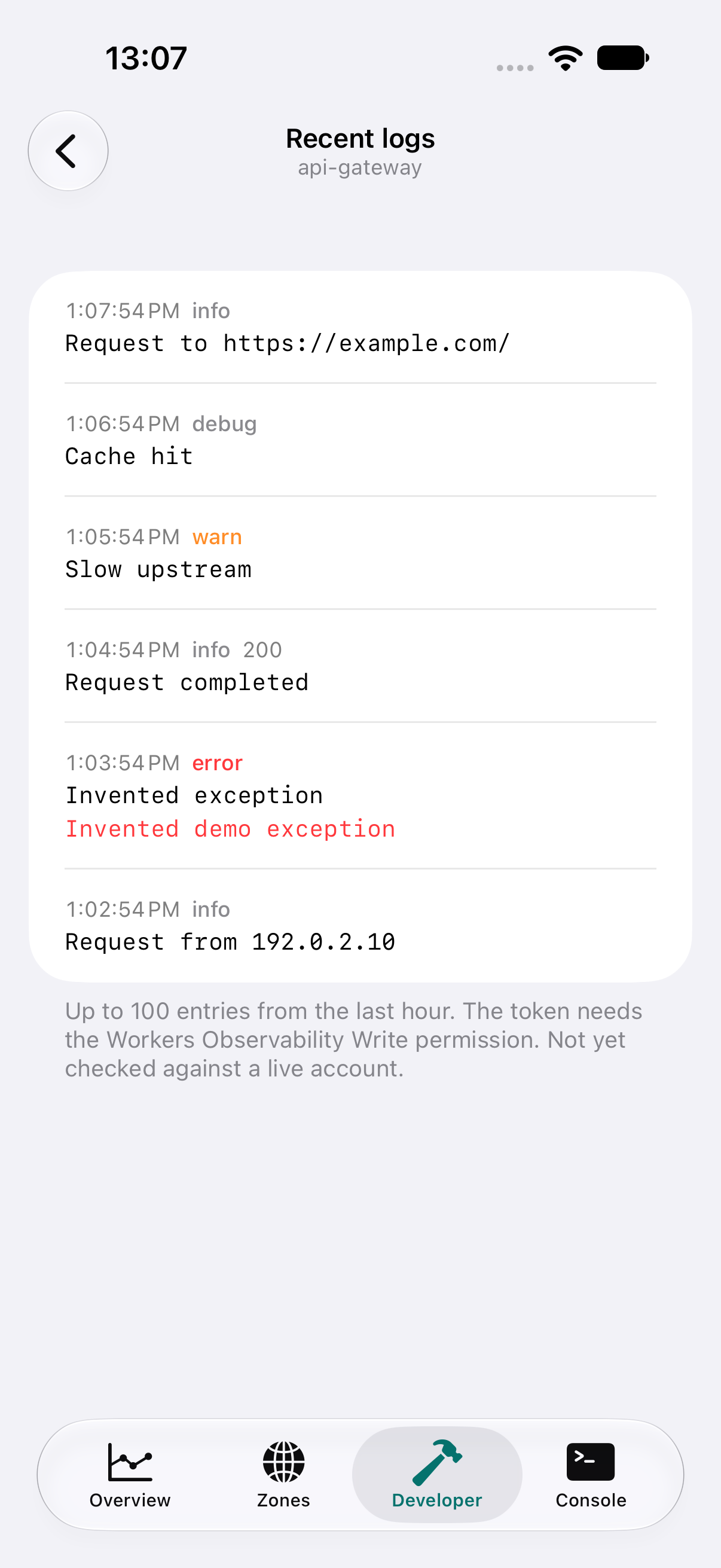
- Browse scripts and recent logs. Live streams require permission, with reviewed creation and deletion.
- Console
- Search cf commands or build a request. Operations that cannot run on a phone explain their limits.
Access depends on the permissions you grant in Cloudflare. Purchases and billing changes stay in the Cloudflare Console.
Understand it.
Then confirm it.
A change deserves more than a button. In the app, review the profile, account, and prepared request. Here, compare a query with two changes in a local illustration.
Interactive illustration with invented data. It does not connect to Cloudflare.
Query a DNS record
Query- Profile
- Demo · read-only
- Zone
- example.com
Illustrative request
/zones/{zone}/dns_records?name=example.comBody
No bodyA query is allowed by the read-only profile. This preview only shows the request; nothing was sent.
Query a DNS record
Query- Profile
- Demo · read-only
- Zone
- example.com
Illustrative request
/zones/{zone}/dns_records?name=example.comBody
No bodyA query is allowed by the read-only profile. This preview only shows the request; nothing was sent.
Change a record’s destination
Change blocked- Profile
- Demo · read-only
- Zone
- example.com
Illustrative request
/zones/{zone}/dns_records/{record}Body
{
  "type": "A",
  "name": "example.com",
  "content": "192.0.2.10"
}The read-only profile would block this change in the app. A change would need appropriate permissions, a profile that allows changes, and confirmation in the review. Nothing was sent.
Purge a URL from cache
Change blocked- Profile
- Demo · read-only
- Zone
- example.com
Illustrative request
/zones/{zone}/purge_cacheBody
{
  "files": ["https://example.com/styles.css"]
}The read-only profile would block this change in the app. The URL and body would appear in the review before confirmation. Nothing was sent.
Request review and read-only mode are local guards, not a guarantee that an operation is correct or safe. The token’s Cloudflare permissions are the actual authorization boundary.
Access starts with permissions.
Use an API token with the least access you need. The app keeps the credential in this device’s Keychain and uses it for requests to Cloudflare.
Understand the privacy model- Read-only by default
- A profile starts by blocking changes locally. Set the token’s permissions in Cloudflare as well.
- Review every change
- The app shows the exact request and asks for confirmation. Changes are never retried automatically; an uncertain result requires checking the state before trying again.
- Browser sign-in: pending
- The flow is implemented, but still needs OAuth client registration, verified domain association, and live validation. It is not available yet.
Before it goes in your pocket.
Is this an official Cloudflare app?
No. Stratoboard is a third-party app, not affiliated with, sponsored by, or endorsed by Cloudflare. Cloudflare is a trademark of its respective owner.
Can I download the app now?
This site offers a preview. Public TestFlight distribution and App Store availability have not been confirmed yet. You do not need an account to explore this page.
How will I connect my account?
The app supports profiles with user or account API tokens; Global API Keys are refused. Browser sign-in is still pending client registration, domain association, and live validation.
Does read-only mode guarantee account safety?
No. It blocks changes inside the app. Permissions granted to the token in Cloudflare define the real access boundary. Review your token and the request: read-only mode does not guarantee that every operation is correct or safe.
Does it replace everything I do on a computer?
No. The interface brings together queries and API operations, but local builds, host tools, purchases, and billing changes remain outside the app. The Console explains the limits of operations that cannot run on a phone.
Do these images show a real account?
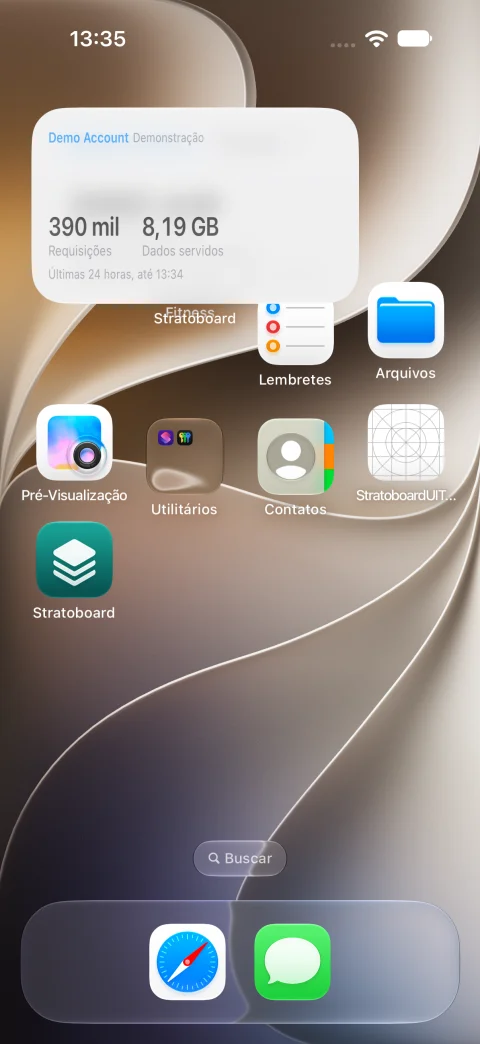
No. They are earlier captures of the native app and widget in demo mode, with invented data. They do not prove a current live-account session, validated OAuth sign-in, or public installation.
See how it works.
Explore the illustrative review and get to know the product while public distribution is prepared.
Preview available. Public beta and App Store availability are not confirmed yet.